Telepaatti is IRC to Jabber/XMPP gateway compatible with MUC-protocol (Multi user chat). It allows you to join MUC-rooms and communicate with Jabber/XMPP users via your IRC client.
Telepaatti acts as Jabber/XMPP client imitating IRC-server. You can start telepaatti for example in localhost and then connect to it just like to any other IRC-server. After connection is established you can join mucs in localhost (/JOIN mucname@conference.xmppserver.tld) or start chats with Jabber/XMPP user (/MSG username@xmppserver.tld). Since traditional Jabber/XMPP roster is impossible to create with IRC-clients Telepaatti has #roster channel what tracs roster changes. Join #roster to see what your contacs are up to.
Telepaatti takes input only in utf-8 format. Make sure that this is possible with your IRC-client. Here is tips how to get Irssi with non utf-8 terminal to send utf-8 encoded text.
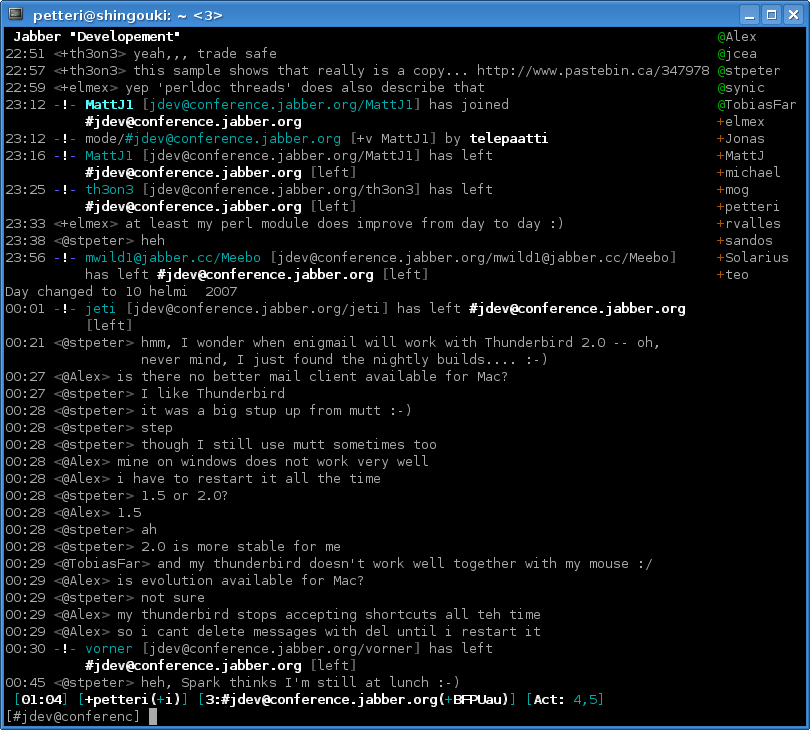
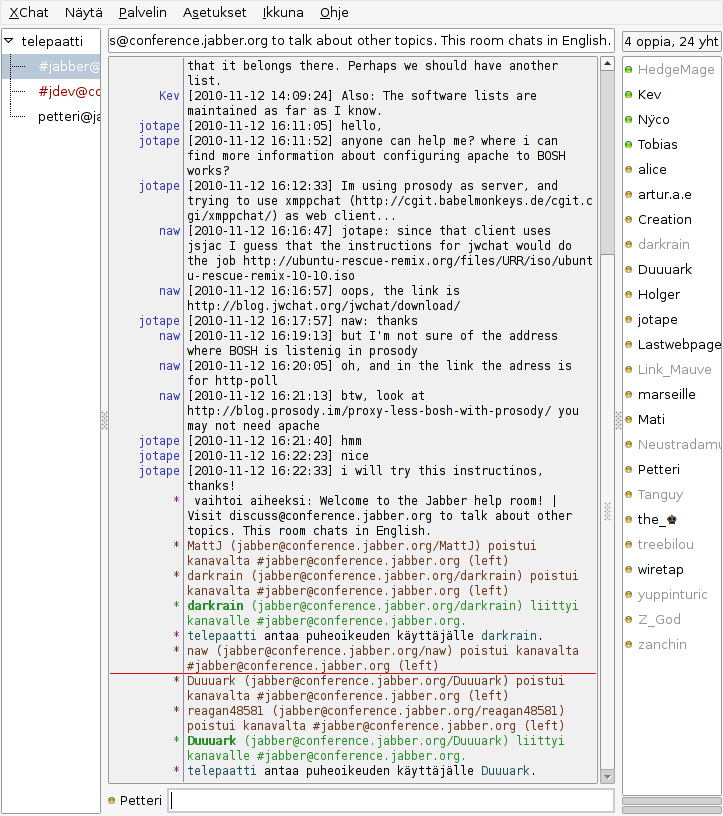
Here is couple of screenshots of Telepaatti running. Irssi on left and Xchat on right. Click on the picture to get bigger image.
Notice that Telepaatti is experimental software and I am not active developing it anymore! For a nice way to use Irssi with Jabber try irssi-xmpp irssi plugin.
Author can be contacted via XMPP (petteri at jabber dot ru).
Important features missing:
Known bugs:
First you need to download the the telepaatti.py file. It can be found at the Telepaattis github page. After that, get a version of xmpppy library. I have verfied that Telepaatti works with Xmpppy 0.5.0rc1. Copy the xmpp directory from xmpppy-0.5.0rc1 directory to the same directory where the telepaatti.py is and execute telepaatti. Here is the procedure step by step with my debian:
wget http://github.com/Petteri/telepaatti/raw/master/telepaatti.py
chmod +x telepaatti.py
wget http://sourceforge.net/projects/xmpppy/files/xmpppy/0.5.0-rc1/xmpppy-0.5.0rc1.tar.gz/download
tar xvfz xmpppy-0.5.0rc1.tar.gz
ln -s xmpppy-0.5.0rc1/xmpp .
./telepaatti.py -u username@jabberservice.tld -w password
Now you should have telepaatti running locally. The start irc client (hopefully irssi) and connect to localhost. If all goes fine you will get message
17:49 -!- Welcome to Telepaatti, IRC to XMPP gateway
17:49 -!- Your host is localhost [localhost port 6667] running version telepaatti-1
After that you should join #roster channel and some jabber MUC. Good place to start chatting is chat@conference.jabber.ru. Notice that you need to add #-sing before the channel, so join #chat@conference.jabber.ru .
Issue tracker can be found here. Use it to report bugs and other issues.
Status can be changes via /AWAY command. Default: "/AWAY message" changes status to away - message. Status like dnd can be reached also via /AWAY command. Syntax for more status changes is "/AWAY status message", for example "/AWAY dnd reading". Just plain /AWAY defaults to available with no message.
MUC modes are mapped to following channel modes:
Only MUC roles are shown in Telepaatti.
WHOIS query returns vcard, last activity and software version information.